
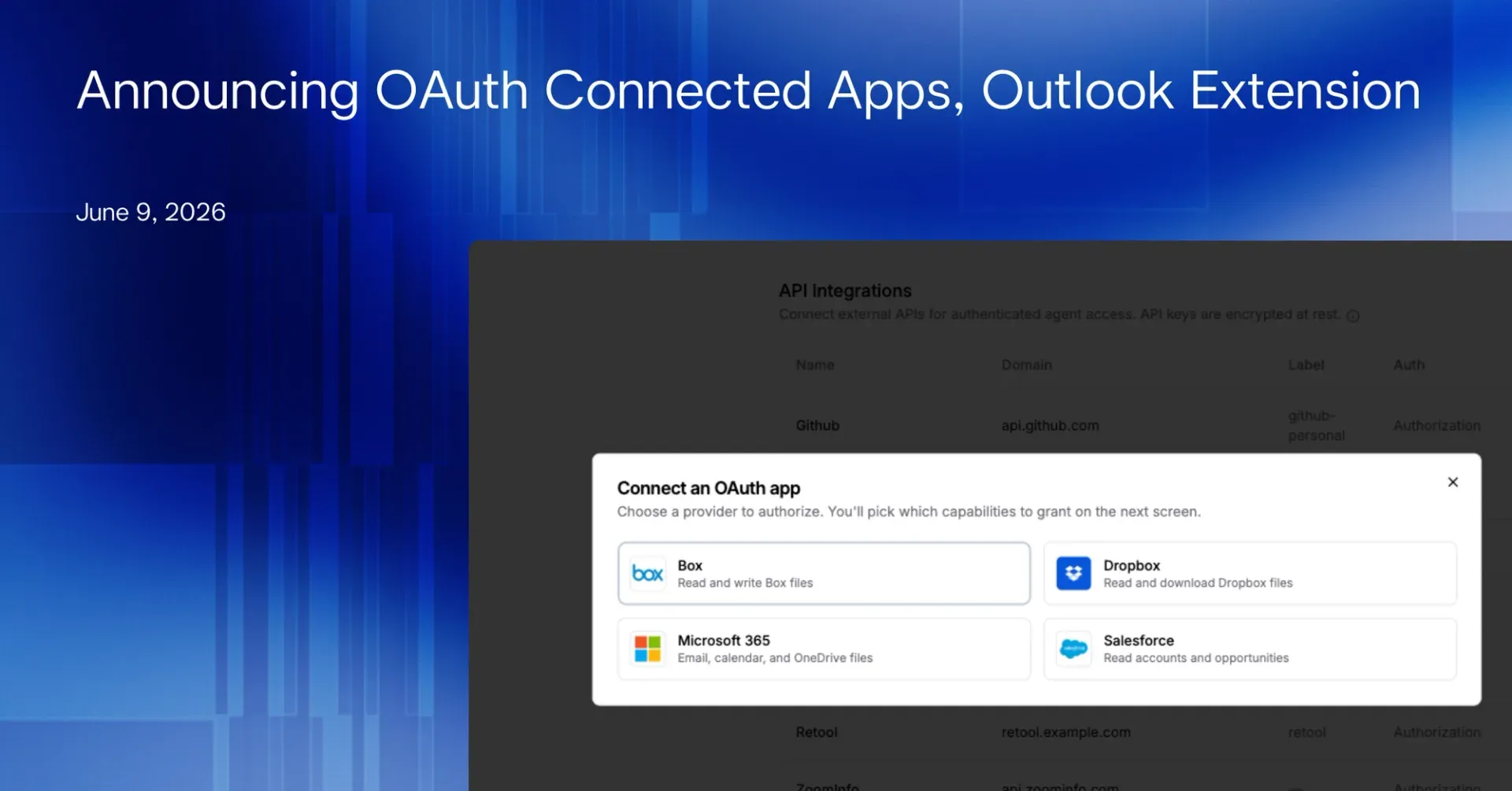
Most of the evidence behind a diligence memo or a credit review does not sit in a clean folder. It lives in inboxes, calendars, deal files on SharePoint, CRM records, and shared drives. Until now, getting that material in front of a Brightwave agent meant exporting it by hand, file by file. That changes today. We built a new OAuth-backed Connected Apps system, and we are launching it with four providers that cover where private markets teams actually keep their work: Microsoft 365, Salesforce, Dropbox, and Box.
One consent flow, then your agent gets to work
Connecting an app takes a single OAuth consent flow. You authorize the provider, Brightwave validates the exact scopes you granted, and the connection becomes available to your projects. From that point, your agent can read the data you approved and use it directly inside its research. No exports, no copy-paste, no staging folder.
Here is what each provider opens up.
Microsoft 365. This was our first provider, and it is the deepest. Granting access gives your agent read scopes across Microsoft Graph: mail for email, calendar for meetings and scheduling, files for documents, and contacts for your address book. Those delegated scopes reach the wider Microsoft estate too, including Teams, SharePoint, OneDrive, and OneNote. An agent can pull the thread where a counterparty flagged a covenant, cross-reference it against the deal files on SharePoint, and cite both in the same memo.
Salesforce. The newest provider, and the most security-hardened. The flow uses PKCE and resolves each customer’s own org instance, so the agent talks to your specific Salesforce host rather than a generic endpoint. The connection is read-oriented, exposing account and file records. An agent can read the CRM context behind a portfolio company and tie it back to the underlying documents.
Dropbox. Read-only by design. The connection grants account information, file metadata, and file content, so an agent can find the right document in a shared folder and read it without you downloading anything. One credential authorizes both the API and content endpoints, so large files come through cleanly.
Box. The Box connection carries the file scope Box requires to pull documents down through its pre-signed download flow. Your agent can locate a file in a Box workspace and bring its contents into the analysis.
The agent can ask for access mid-task
The connection layer is only half the story. The other half is how the agent gets credentials in the first place.
Agents can now request access in the middle of a task. When an agent reaches a point where it needs a connected app, it pauses, renders a secure connection card, and waits. You approve the connection right there, and the agent picks up exactly where it left off. No restarting the session. No setting everything up in advance and hoping you guessed which systems the work would touch.
A few more controls make this practical at the team level. Teams can share a single API-key credential across users and projects, so one person sets up an integration and the whole desk benefits, while OAuth connections stay personal to each user by design. Tokens refresh before they expire, so a long-running agent never stalls because a credential went stale. Per-project enable and disable controls let you decide exactly which projects can see which connections. And egress policy controls let you set whether an agent can reach connected apps only or the open web.
Brightwave for Outlook is live on AppSource
Your inbox is where a surprising amount of diligence actually happens. So we built a dedicated Brightwave add-in for Outlook, and it is now published on Microsoft AppSource and ready to install.
It is a separate, isolated listing from our Excel, Word, and PowerPoint add-in, so your inbox workflow stays clean and independent from your document workflow. Inside Outlook, the add-in reads emails straight into your Brightwave research, drafts replies and new messages with agent assistance, and gives you the full agent toolset right in the sidebar. It runs across Outlook on the web, the desktop apps on Windows and Mac, and mobile.
You can read a counterparty email, ask the agent to check it against the deal file and the CRM record, and draft a reply with the answer, without leaving your inbox. Install it from Microsoft AppSource: https://marketplace.microsoft.com/en-us/product/office/WA200011012
Insert Brightwave outputs into live documents
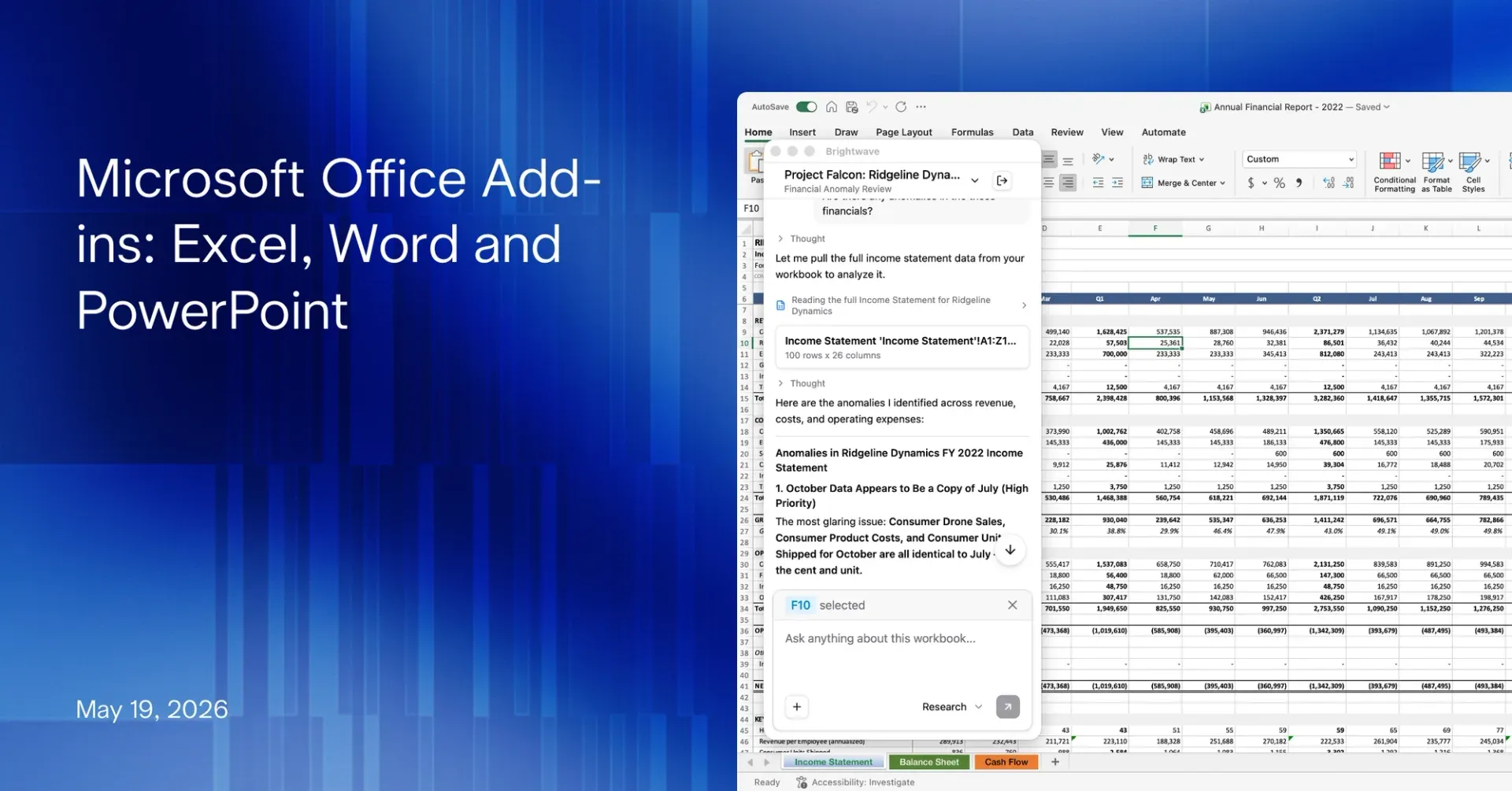
The Excel, Word, and PowerPoint add-ins gained a capability that closes the loop between research and the document on your screen. They can now insert Brightwave outputs directly into the file you have open.
In PowerPoint, you can insert generated slides straight into an open deck. In Word, you can insert a Brightwave document output into the active document. In Excel, you can apply a Brightwave workbook output to the spreadsheet you are working in. Beyond insertion, the add-ins handle the editing work that usually follows: Excel conditional formatting and charts, Word tables, lists, and comments, and PowerPoint charts and speaker notes. The output lands where you need it, formatted and ready to refine.
Get started
Open the connected apps menu, authorize the providers your team works in, and enable them for your active projects. Then point an agent at a question that touches your real systems and watch it pull the evidence itself. If your work runs through Outlook, install Brightwave for Outlook from AppSource and let the agent work where your email already lives.