Verify Faster, Research Smarter
%20(1).png)
This week's updates focus on one thing: working faster with full trust and confidence in outputs.
Here's what's new:
One-Click Citations: Verify Sources Instantly
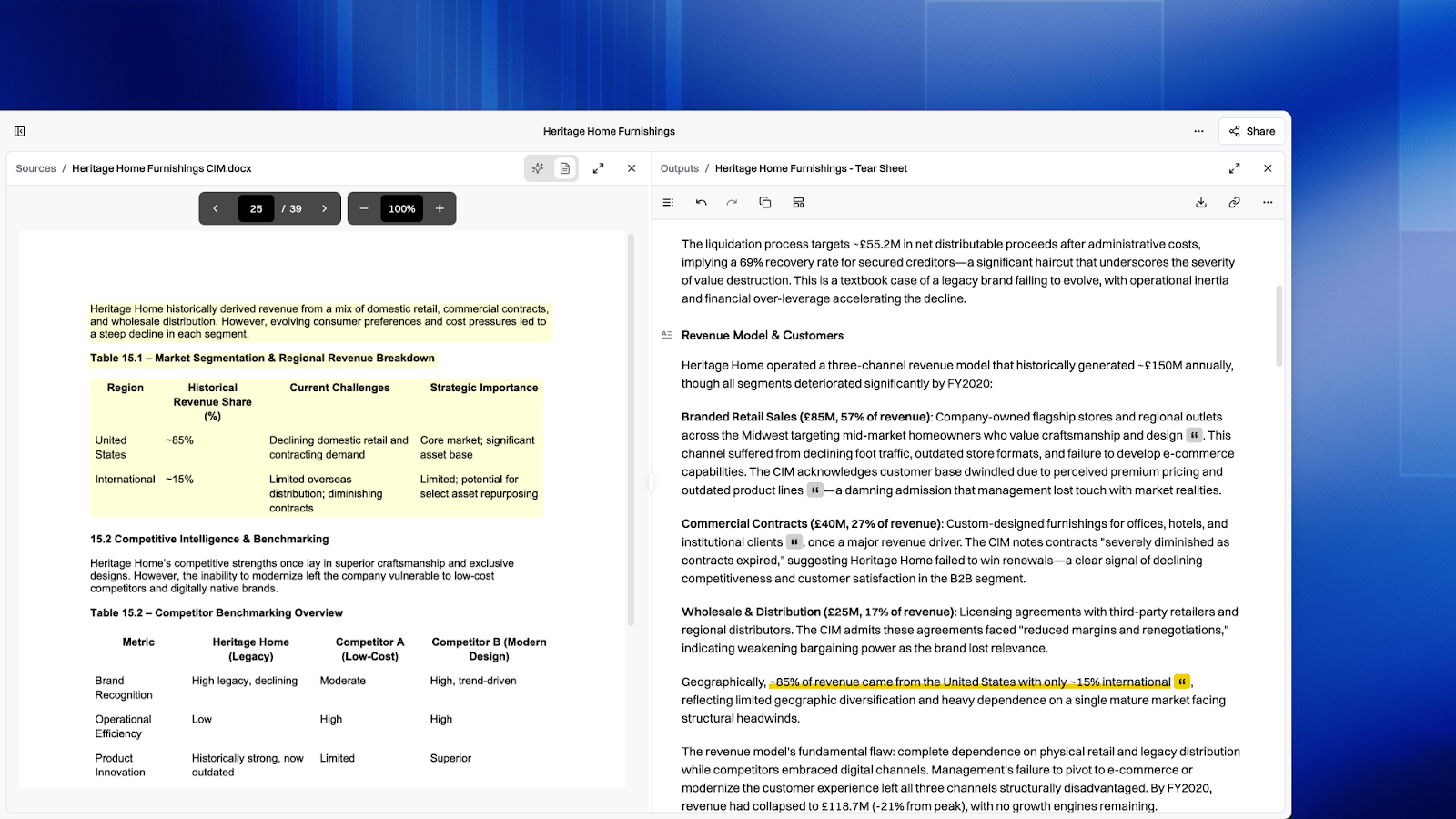
Trust, but verify with one click.
Click any citation in your research output and land directly on the exact passage in the original document. Visual bounding boxes highlight the cited content so you can confirm context without hunting through pages.
Works across PDFs, spreadsheets, filings, and more. No more ctrl+F guessing. No more "I think it was on page 47." The source is right there, highlighted, ready for your review.
What this means for your workflow: When a partner asks "where did this number come from?", you can show them in seconds.
Quick Mode + Plan Mode: Research Your Way
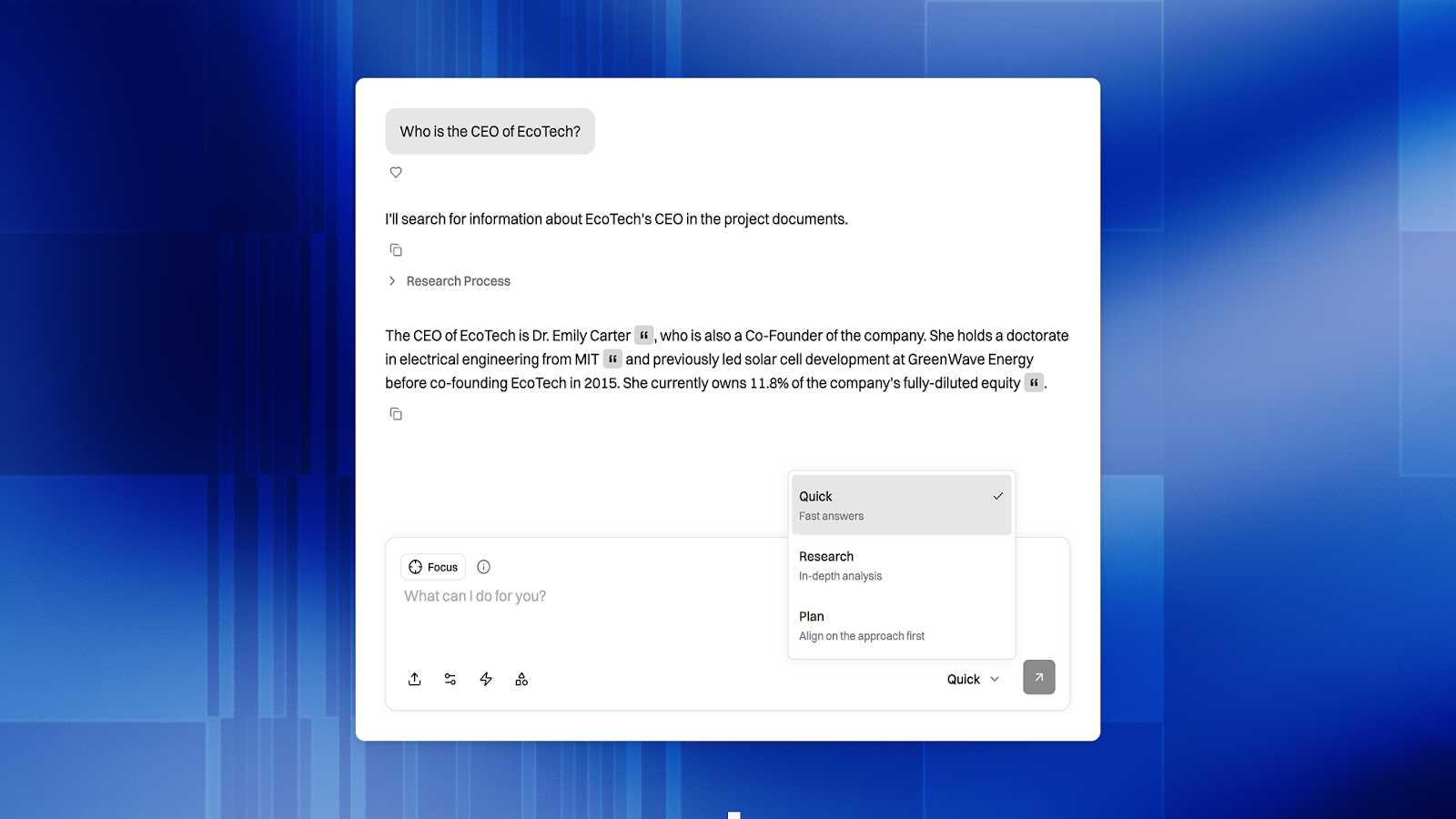
Not every question needs a full research report.
New: Quick Mode gives you fast, direct answers to straightforward questions. No charts, no multi-step analysis, just the answer. Perfect for "What was EBITDA in 2025?" or "When does this debt mature?"
New: Plan Mode is for complex requests where you're not sure how to structure your query. Enter Plan Mode, describe what you want in plain language, and Brightwave translates your goals into an optimized research plan- leveraging system capabilities you didn't know existed.
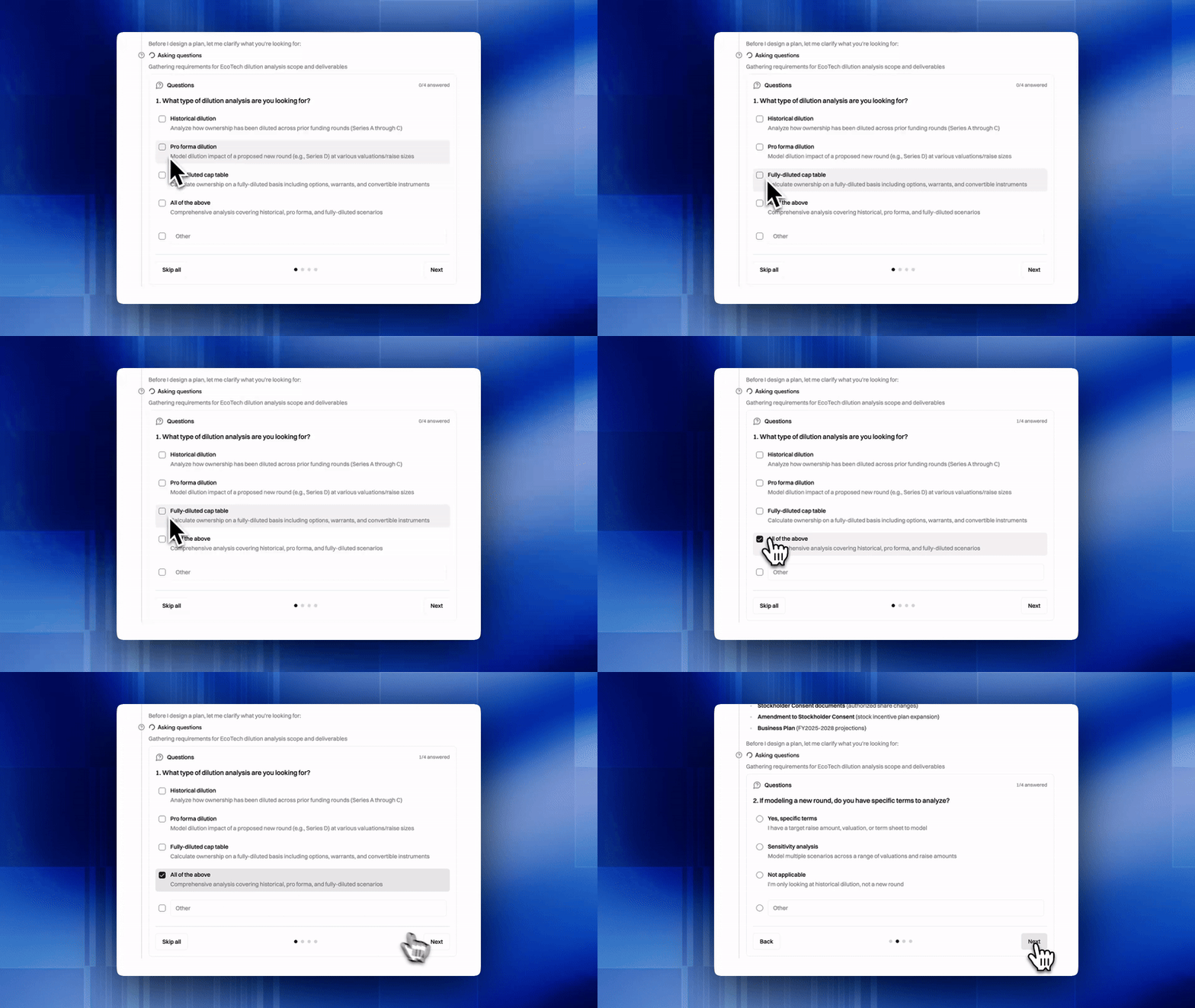
Research Mode remains the default for when you need the full treatment: charts, tables, source synthesis, and multi-document analysis.
Spreadsheet Viewer with Formula Bar
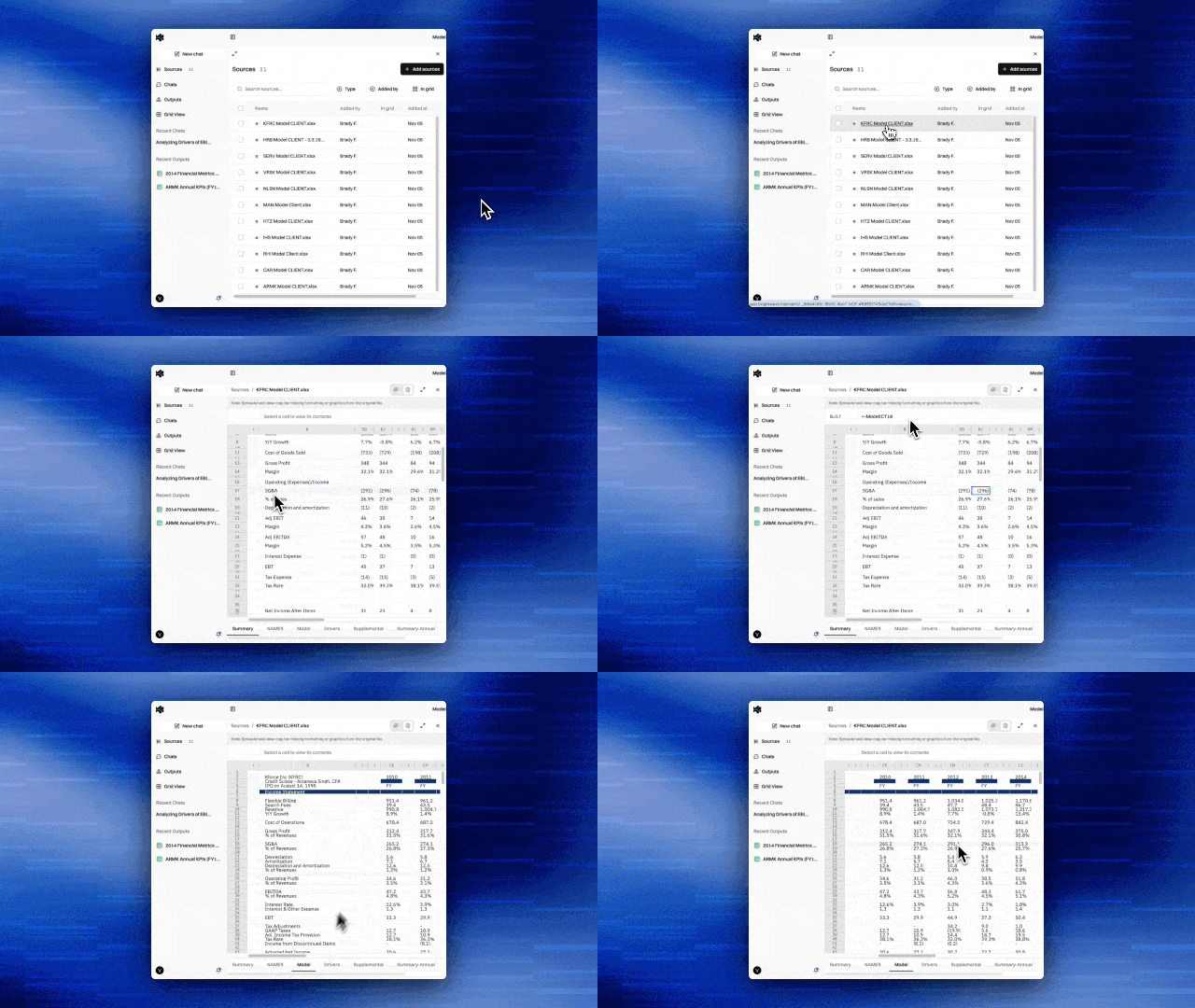
Not only can Brightwave process and generate excel files, now you can view them directly within the platform, no downloading, no switching apps.
Navigate between sheets using tabs. Inspect any cell's formula in the formula bar. See exactly how numbers were calculated without leaving your research environment.
Your model stays transparent. When Brightwave references a financial model, you can click through and see the actual calculation logic, not just the output cell.
Unlock Password-Protected Files
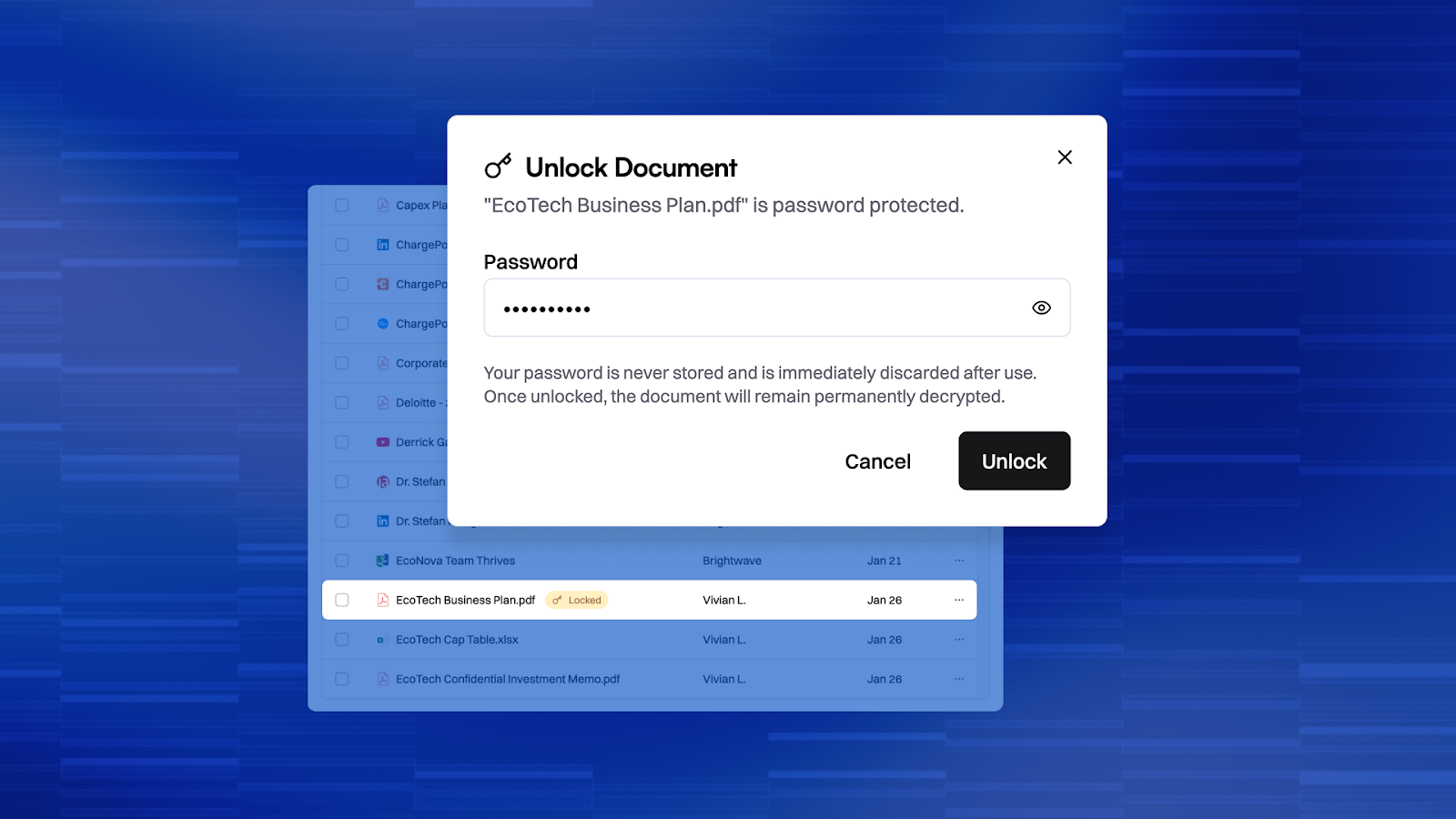
Your data room has locked documents. Now Brightwave can open them.
Upload password-protected documents and enter the password once. Brightwave processes the full content: no workarounds, no manual extraction, no "please unlock and re-upload."
Confidential materials stay in your workflow. Deal rooms, legal documents, board materials- all accessible without breaking your process.
And as always, your data is private, secure, and never used for training.
In-App Notifications
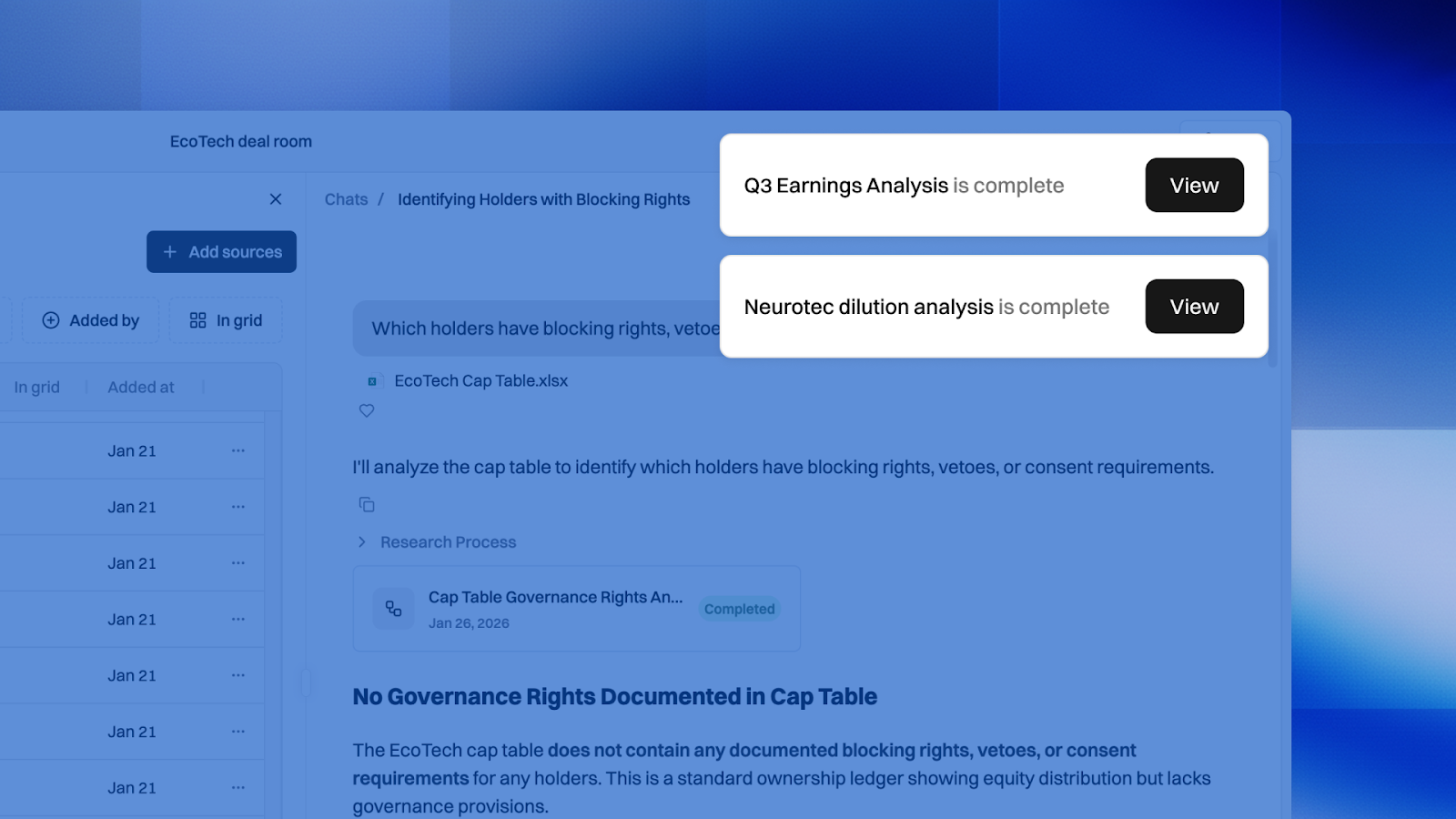
Know the moment your deliverables are ready.
Get notified when:
- Your research completes
- Something needs your attention
- A teammate shares a project with you
No more tab-checking. No more wondering if that 50-page analysis finished while you were in a meeting.
Have any questions? Reach out to an account rep for clarification or demos of any the new capabilities.