The Fastest Path from Inbox to Insights
%20(3).png)
We've been shipping fast. Over the past several weeks, we've rolled out a set of features designed to reduce friction across some of the most common research workflows: from getting documents into the platform to organizing complex, multi-threaded investigations.
Here's what's new.
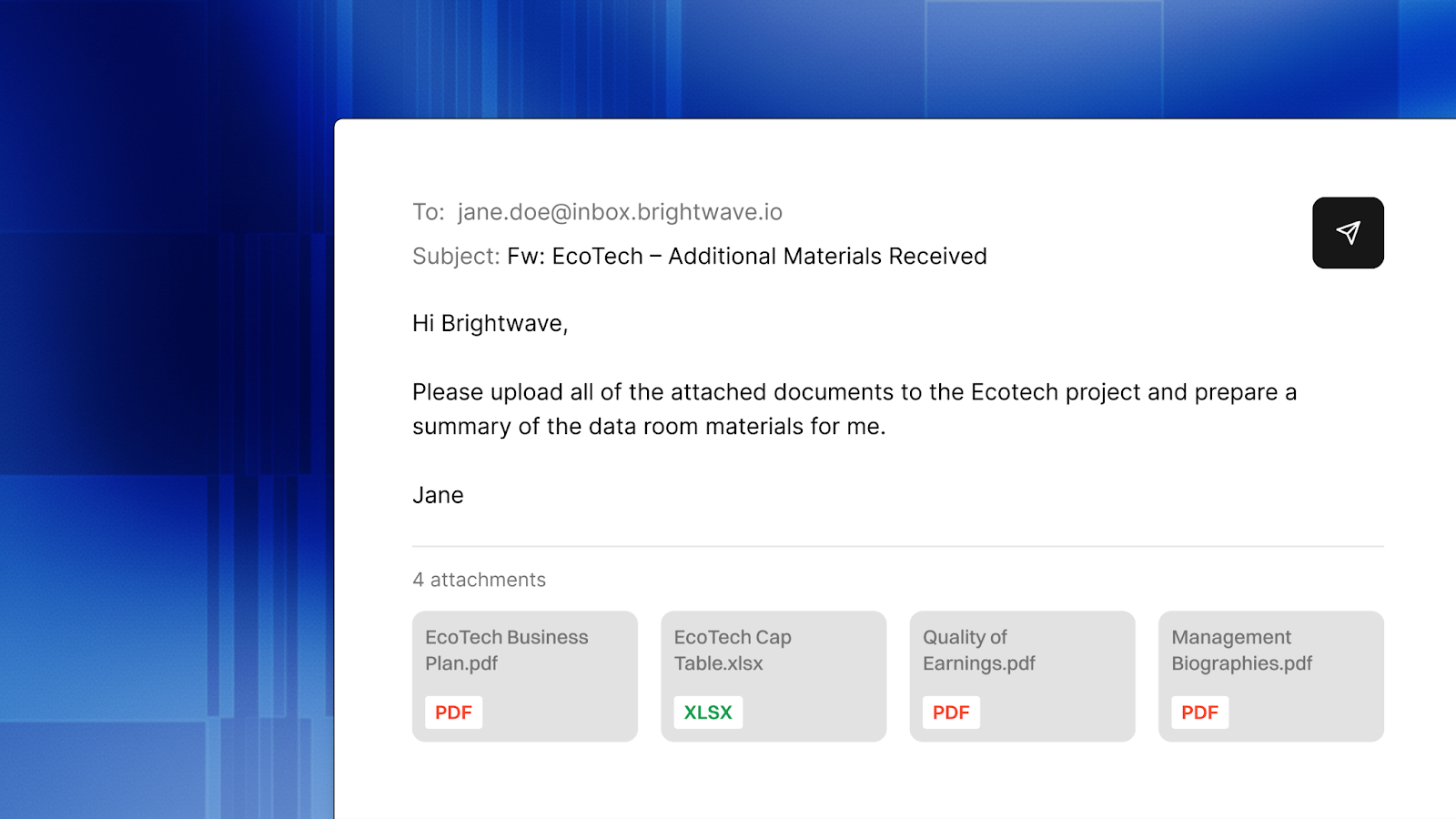
Email-to-Brightwave
You now have a dedicated Brightwave email address. Forward documents, deal memos, CIMs, or entire email threads directly to it, and Brightwave will automatically ingest the attachments, organize them into the right project, and even kick off a research conversation based on the contents.
This is built for how teams actually work. When a banker sends over a new CIM or a colleague forwards a set of portfolio reports, you no longer need to download, re-upload, and manually sort files. Just forward the email. Brightwave's Email Agent handles the rest: extracting attachments, adding documents to your data room, and surfacing them for analysis.
You can set up your inbox address and manage approved senders from Settings > Email Agent. The feature includes a simple opt-in flow, and you can enable or disable it at any time.
The best research tool is the one that fits into your existing workflow. Email is still how most deal documents arrive. Now Brightwave meets you there.
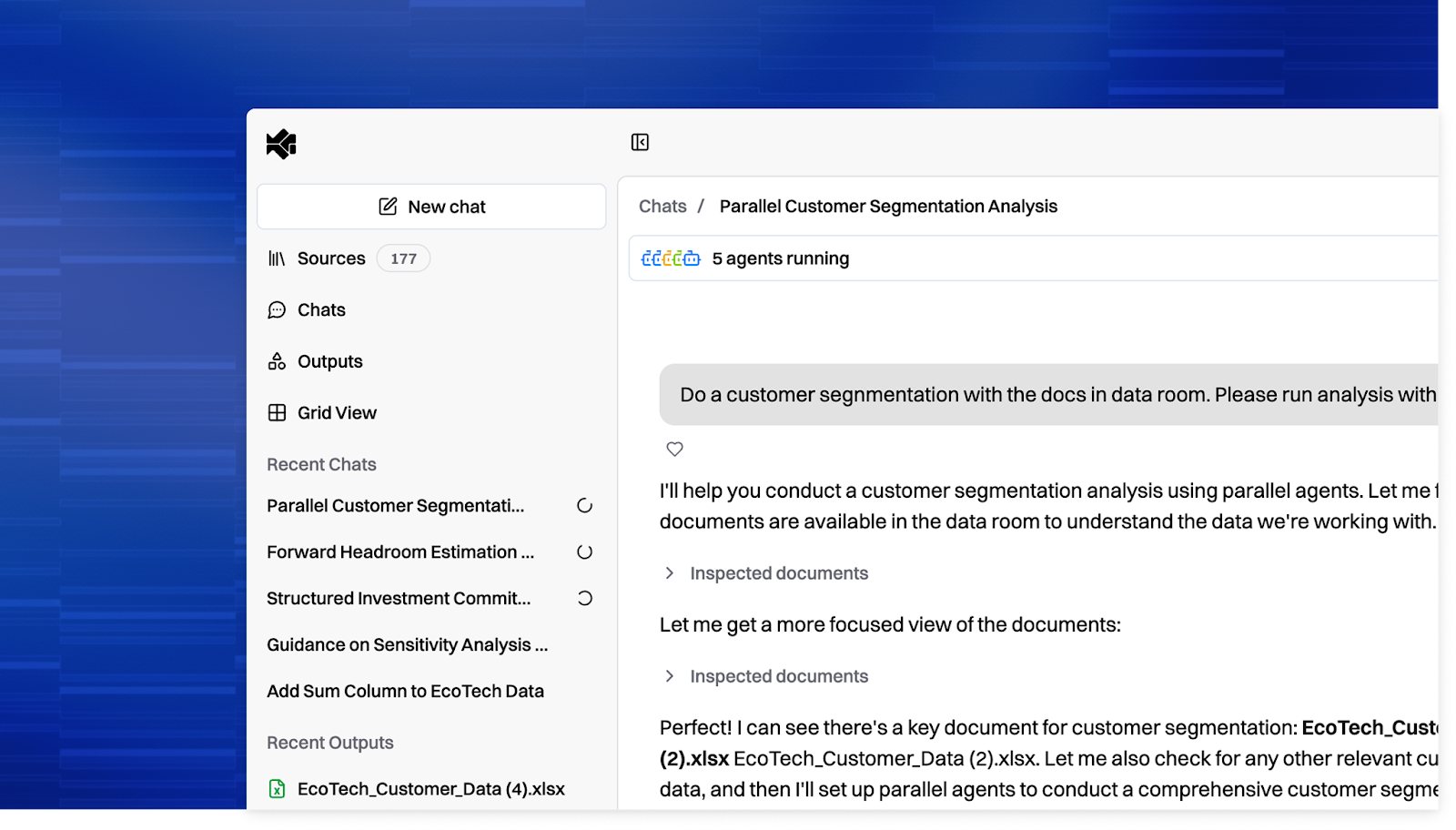
Multiple Conversations Per Project
Projects are no longer single-threaded. You can now start new research conversations within a project without losing your previous work. Each conversation maintains its own context and history while sharing the same underlying data room.
This means you can run a market sizing analysis in one thread, a management team background check in another, and a comparable company screen in a third, all within the same deal project, all drawing from the same source documents.
To keep things organized, you can pin important conversations to the top of your sidebar and archive old ones when they're no longer active. Archived conversations are still accessible if you need to revisit them, but they won't clutter your workspace.
A "New Chat" button at the top of the project sidebar lets you spin up a fresh research thread in one click. Switching between conversations is instant; we built a multi-conversation store that preserves state and streaming progress in the background, so you never lose context when jumping between threads.
Complex deals generate complex research. You shouldn't have to choose between starting fresh and preserving prior work. Now you don't.
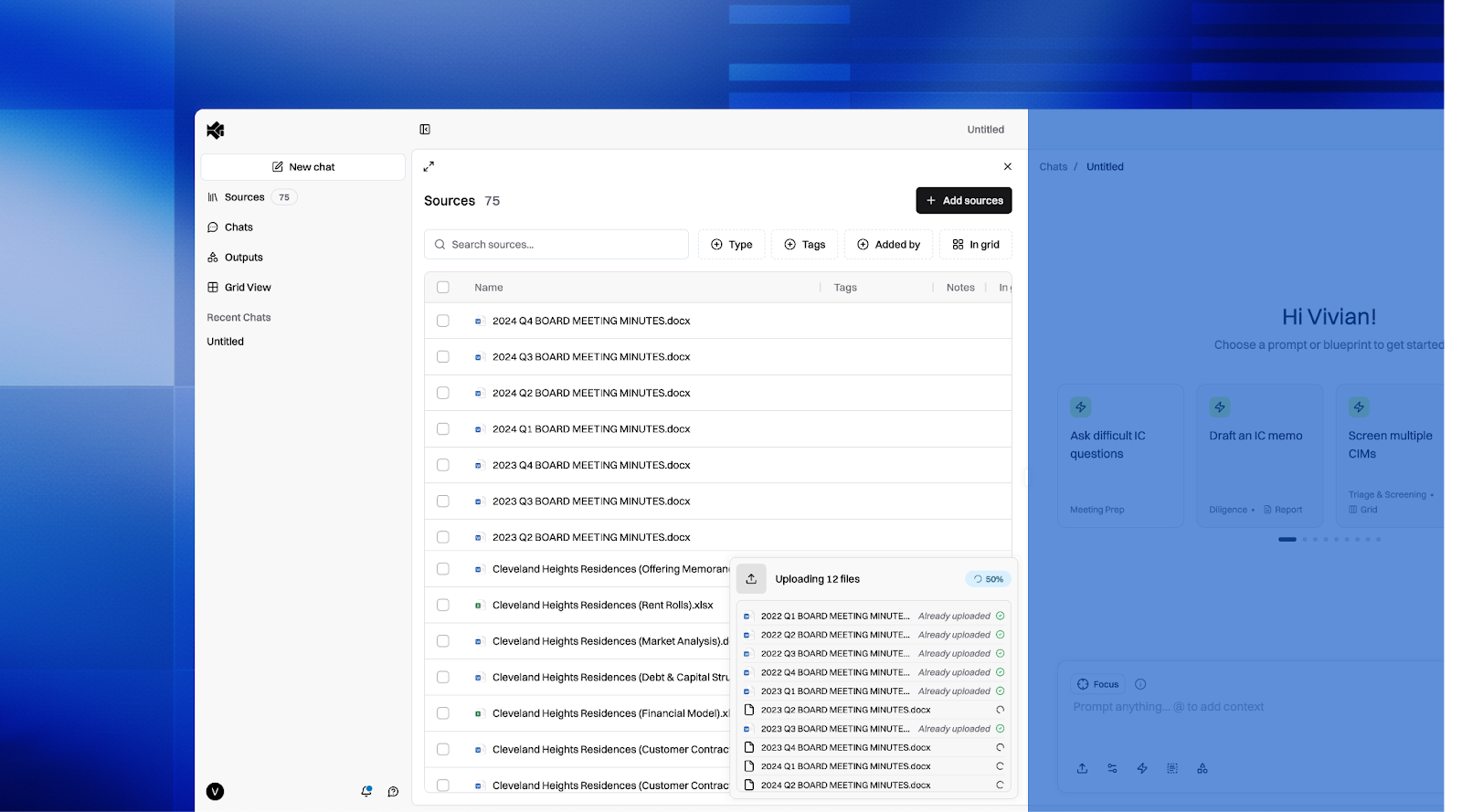
ZIP Upload and Progress Indicators
You can now drop an entire ZIP archive into Brightwave and we'll extract and process every file inside automatically. This is particularly useful for data rooms, where documents are often packaged as compressed archives for distribution.
We've also overhauled the file upload experience. Large uploads now display real-time progress indicators so you know exactly what's happening, how many files are queued, which are processing, and how much longer the batch will take. Files upload concurrently (up to five at a time) with automatic retry on failure, and the progress panel cleans itself up once everything is complete.
Now you can go from receiving a data room to having it fully indexed in Brightwave in a single drag-and-drop.
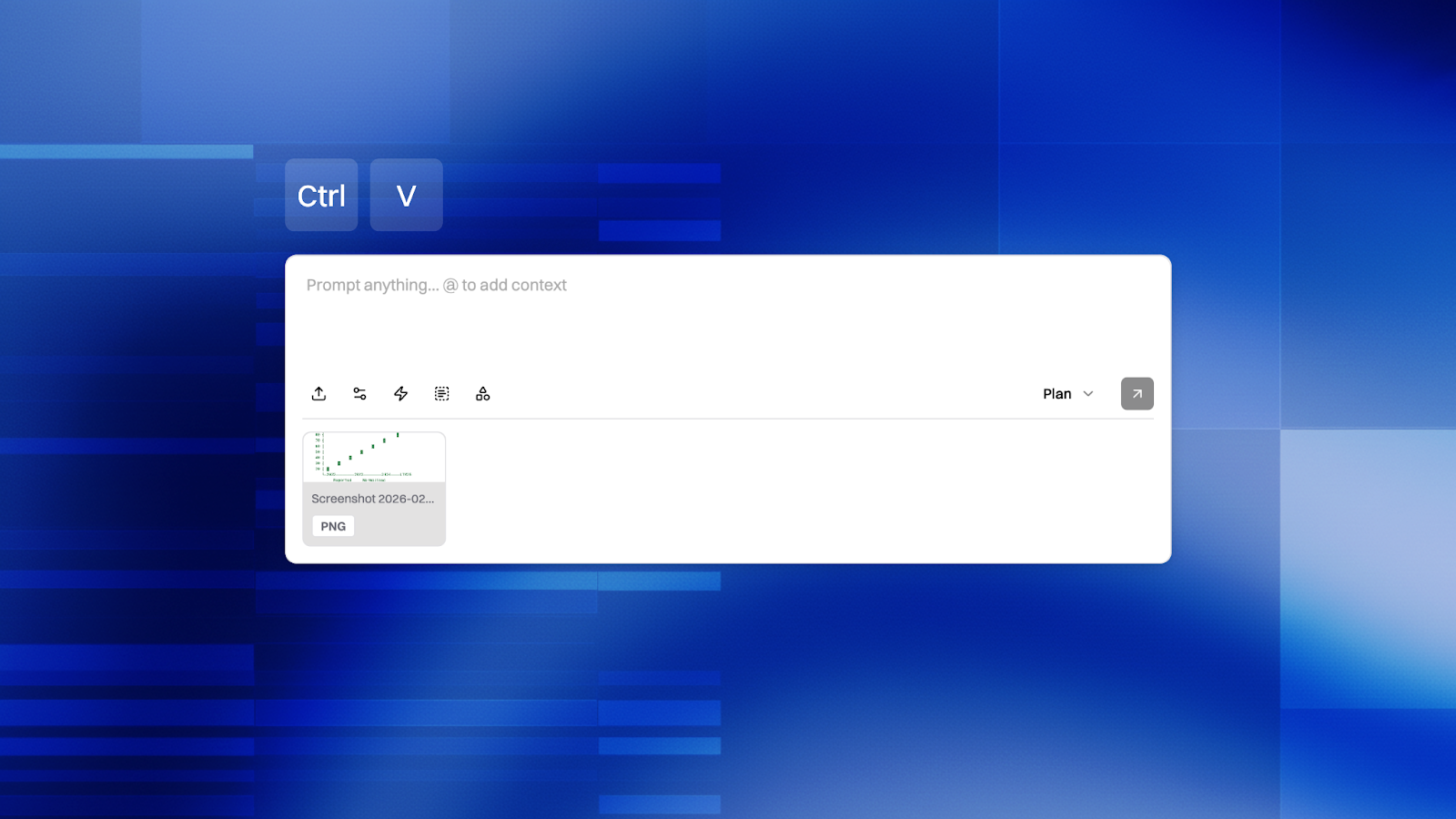
Paste Images from Clipboard
You can now paste images directly into the Brightwave message composer using Cmd+V (or Ctrl+V). Paste a screenshot, a chart from a presentation, or an image copied from another application, and it'll be attached to your message instantly- complete with a thumbnail preview.
This works with any image type: screenshots, copied files from Finder, or images grabbed from the web. The system automatically generates sensible filenames and routes the image through our existing upload infrastructure, so it benefits from the same progress tracking and retry logic as any other file upload.
When you're deep in analysis and spot something relevant-a chart in a PDF, a table in a slide deck, a screenshot of a data point-you shouldn't have to break your flow to save a file and upload it manually. Just paste and keep working.
What's Next
We're continuing to invest in making Brightwave the fastest path from raw documents to actionable research. Expect more updates soon on document generation capabilities, advanced visualization tools, and deeper integrations with how teams collaborate on deals.
If you're not yet on Brightwave, schedule a trial to see how these features work in practice. If you're already a user and have feedback, we'd love to hear it. Reach out to your account contact or drop us a note directly.