Research That's Ready to Use
.png)
We're delighted to share a series of updates today that will transform the way in which users fundamentally leverage Brightwave to create professional, share-ready research deliverables:
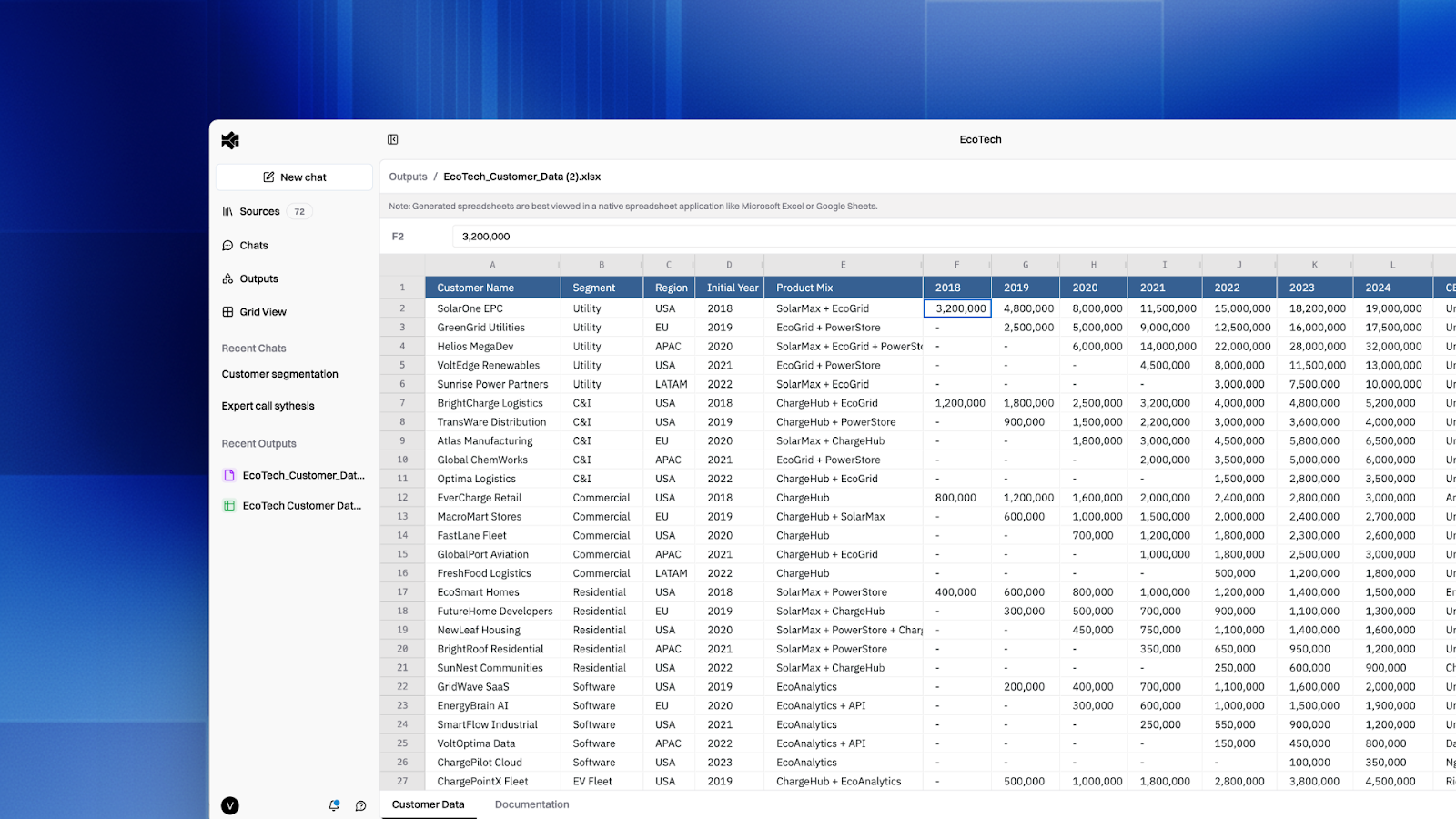
Generate Excel, Markdown, Text Files & Images
You can now generate formula-rich spreadsheets that preserve the calculations PE workflows demand. Upload your LBO models, valuation analyses, and customer data tape, run analysis, then export working, formula-driven Excel outputs, not just flat data.
In addition to Excel, export Markdown files, plain text documents, and images alongside native Brightwave charts, tables, and reports.
Your analysis travels directly from Brightwave to the format your downstream workflow requires. Whether that's a working model for your deal team, an asset for your IC deck, or a data room-ready export, we have you covered.
Run any research workflow and select your preferred output format from the export menu.
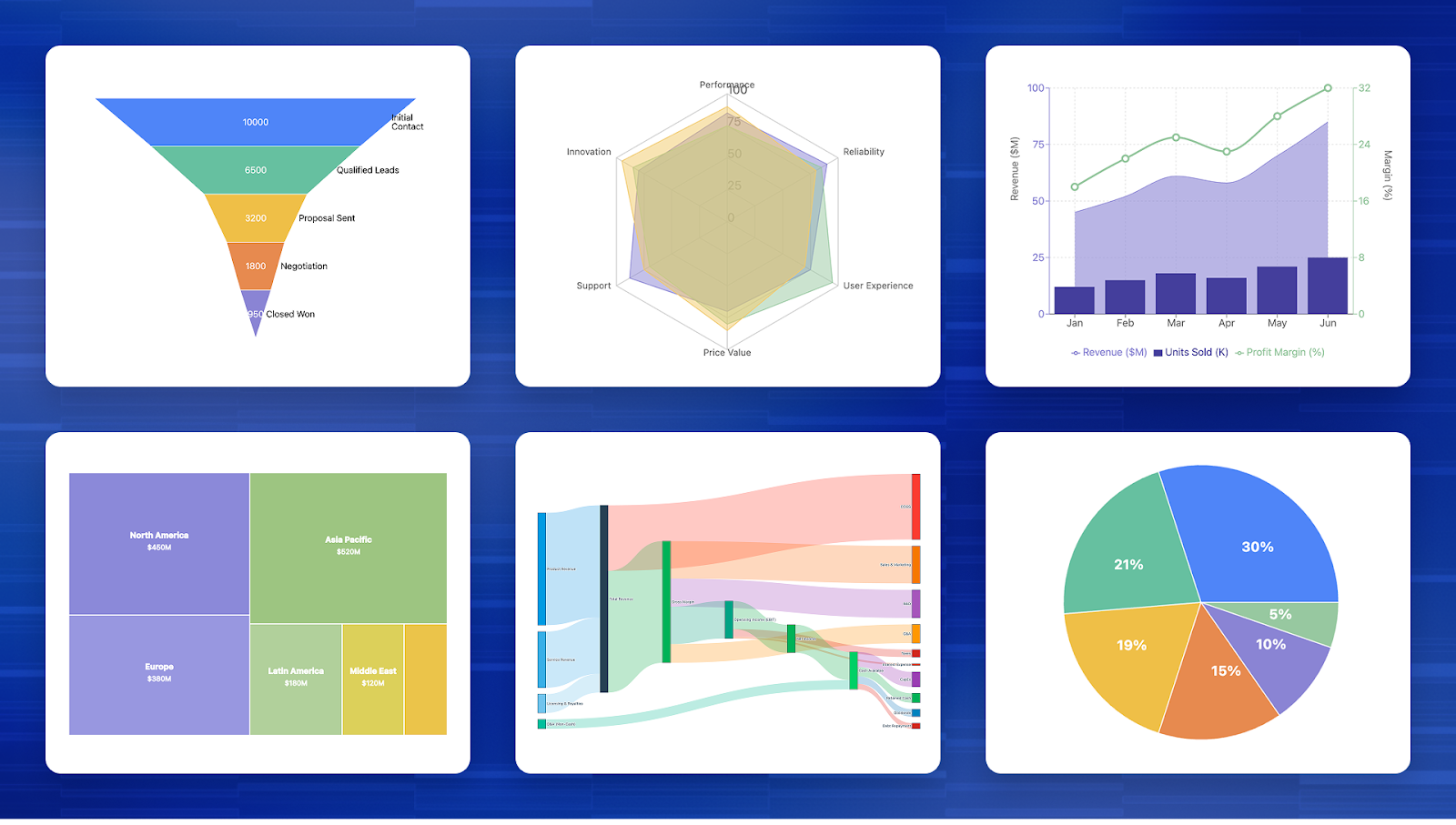
Visualize Complexity, Instantly: Advanced Chart Types
Visualize fund allocation paths with Sankey diagrams, map portfolio revenue by segment with treemaps, track pipeline conversion with funnel charts, or show EBITDA bridges with waterfall charts–all generated automatically from your research, all presentation-ready.
Brightwave now supports nearly limitless flexibility when it comes to visualizations artifacts, Sankey diagrams, treemaps, funnel charts, heatmaps, scatter plots, waterfall charts, and more join our existing bar, line, and combo options.
That’s not all, we took things a step further by adding advanced interactivity: zoom, pan, filter, and export with a click. Capital flows, deal funnels, segment breakdowns, and bridge analyses no longer exports require BI tools or manual Excel builds.
Simply ask Brightwave to visualize your next analysis and export directly to your IC memo or board deck.
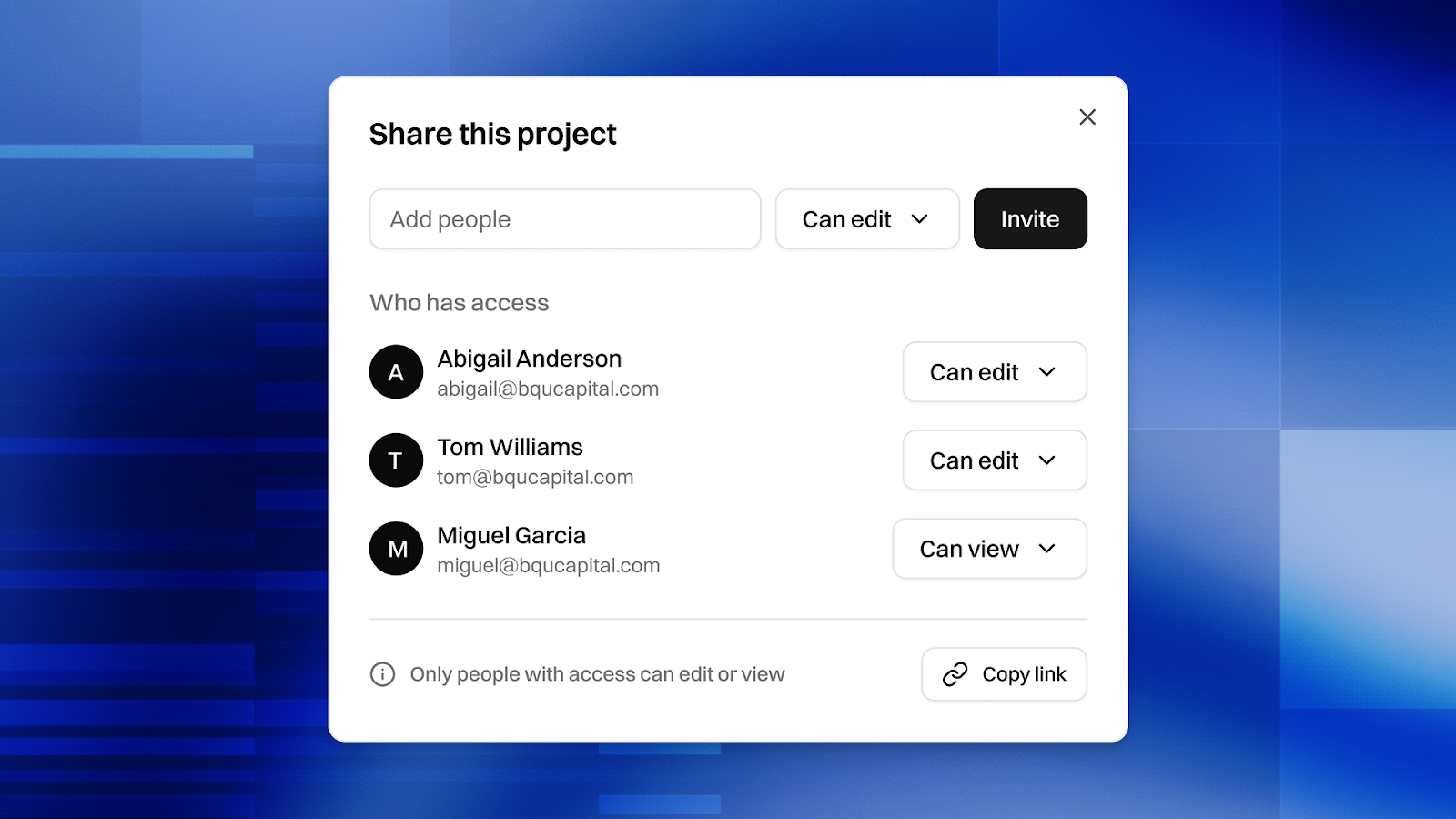
Your research, Your team, Your Rules.
Deal teams can now collaborate on diligence without duplicating work or losing version control. Share a first draft screening memo with your VP for review, give your principal access to a project with the full VDR for diligence questions that otherwise would be sent over Teams, and see exactly who uploaded which documents and when.
Share Brightwave projects with colleagues as read-only or with full edit access, with a redesigned homepage that separates "My Projects" from "Shared with Me" and document-level attribution showing who added which sources.
Open any project, click "Share," and invite team members with the appropriate access level.
Questions? Reach out to your account rep for demos of any new capabilities.